HiPerLink Pre-Terminated Ethernet Patch Panel Cabling System
Built by Cablesys Brand for Small to Mid-Size Data Centers
This innovative system offers an 85% reduction in installation time, swift equipment deployment, and minimal downtime during MACs (moves, adds, and changes). With its low-waste installation approach, labor and material costs are reduced by 40–60%.
How it Works
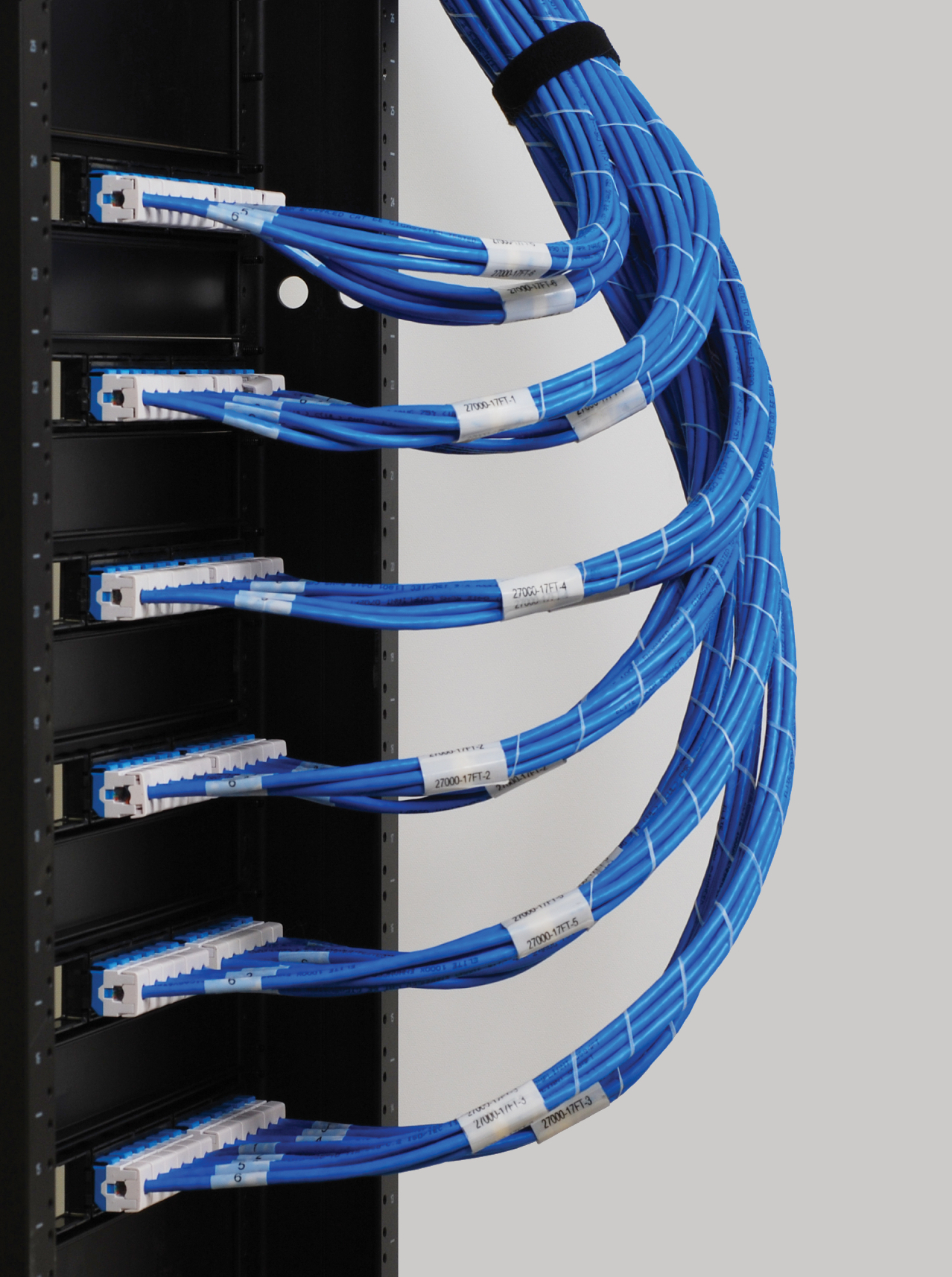
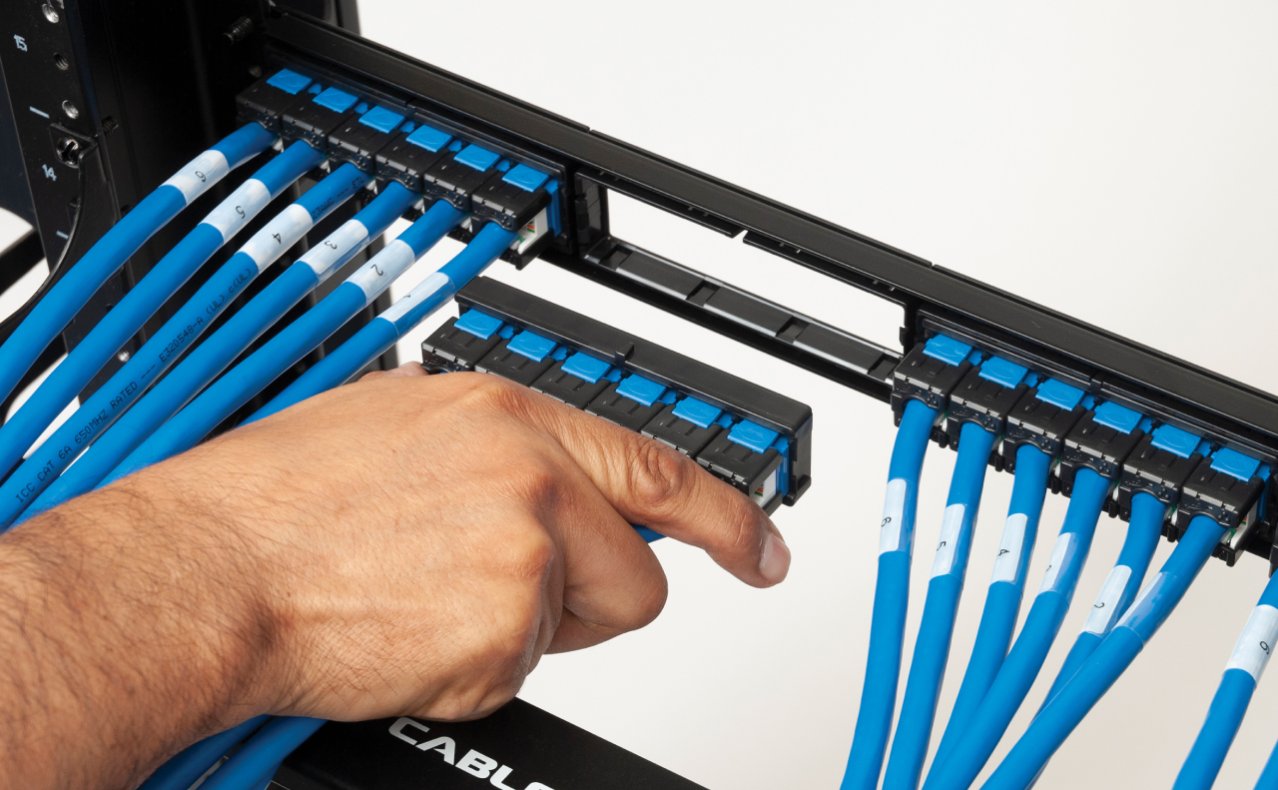
A unique cassette is attached to the end of a cable assembly, specifically designed to snap into a patch panel bracket. This bracket can hold four cassettes, providing up to twenty-four Ethernet ports in a single rack mount space.
Optimal Sites
Suitable for deployment in enterprise data centers, colocation facilities, server farms, cloud storage networks, and telecommunication rooms.
TIA Compliant
Each cable assembly, or trunk cable, undergoes rigorous testing to surpass the industry performance standards set by TIA. These cables fully comply with the ANSI/TIA-942-A-1 standard designed for data centers, ensuring they meet the required standards. Additionally, each cable assembly is backed by a comprehensive 15-year performance warranty.
Choosing the Right Connectivity
• Rack-to-Rack: Connect patch panels
• Rack-to-Switch: Connect patch panel to switch or router
Installing in Open Environments
Rack-to-Rugged Mobile Box: Terminated with 110-type IDC, available in CAT6 only, reliable in rough terrain
Rack-to-Mobile Outlet Box: Uses keystone jacks, supports CAT6 and CAT6A, allows shielded jack and cable options for greater flexibility
How to Install
Step 1
Install the bracket panel, which is designed to fit network racks and cabinets with 19-inch rack mount widths.
Step 2
Open the package.
Step 3
Snap in bezels. Done!
Making Changes
The cassette can be easily removed using a flathead screwdriver.
Cable Management Brackets
Cable management brackets help secure and organize cables on the front and rear of the patch panel.
Bundle6 Patch Cords
Cablesys offers pre-bundled and labeled patch cords, providing a convenient solution for routing six cables simultaneously. The wrap is removable.
How to Order:
1. Choose Connectivity
Bezel to Bezel (Model No. PCA)
Bezel to Modular Plugs (Model No. PCB)
Bezel to Outlet Box (Model No. PCC)
Bezel to Mobile Box (Model No. PCC)
2. Choose Cable Rating
Riser-rated CMR
Plenum-rated CMP
Consider fire ratings of material and airflow. Most data center environments can use riser-rated cable (CMR). Use CMR in vertical settings, such as cable running between floors through cable risers. Use plenum-rated cable (CMP) in raised flooring systems, drop ceilings, and air handling ducts. Always consult with city or building authorities for the latest codes before deciding the type of cable.
3. Choose Bandwidth
10G CAT6A Shielded (FTP)
10G CAT6A Unshielded (UTP)
1G CAT6e Unshielded (UTP)
VolP CAT5e Unshielded (UTP)
Consider what active equipment or devices will be supported throughout the entire network. Use Foiled Twisted Pair (FTP) in environments with high Electromagnetic Interference (EMI) or Radio Frequency Interference (RFI). Use Unshielded Twisted Pair (UTP) in environments with low interference.
4. Choose Length
Standard (25, 50, 75, and 100 feet)
Custom (10 to 295 feet)
Consider accessibility to active equipment and the layout of the room when measuring, then round up to the nearest foot. Cablesys pre-builds and stocks cable assemblies in standard lengths to help reduce lead time and ship orders faster. Cablesys also custom builds up to 295 feet per TIA® standard.
5. Order Bracket Panel and Cable Management Brackets (sold separately)
A bracket panel is required to mount the cabling onto the rack or cabinet. The panel has four ports to snap in bezels. If there are any unused ports, Cablesys offers a blank bezel to cover them. Cable management brackets help organize and secure cords and cables.
Don't see the configurations you need? Contact us.